What the Best Landscaping Websites Have in Common (And How to Copy Them)
You do great work. Your yards look immaculate, your clients love yoYou built a beautiful website. You paid someone to make it look great. And yet — the phone still isn’t ringing the way it should.
Here’s what most landscaping business owners don’t realize: a good-looking website and a website that actually brings in leads are two completely different things. The best landscaping websites aren’t just pretty — they’re engineered to convert a visitor into a phone call in under 60 seconds. Most landscaping sites don’t come close.
This isn’t about marketing tricks or gaming the algorithm. It’s about understanding what homeowners and property managers actually do when they land on your site — and making sure your site gives them exactly what they need to call you instead of your competitor. By the end of this post, you’ll know what separates the sites that win from the ones that go unnoticed, and what you can do about it.
Your Website Is Like a Truck With No Signs on the Side
Think about what happens when a new homeowner moves into the neighborhood. They need landscaping, and they have no idea who to call. They pull out their phone, type something like “landscaping company near me,” and start clicking through results.
Your website has about 5 seconds to convince them they’re in the right place — or they hit the back button and call someone else.
That’s your window. Five seconds.
Most landscaping websites fail at this because they open with a generic headline (“Welcome to Green Valley Landscaping!”), a slow-loading banner image, and navigation that makes it hard to find a phone number. It’s like having a work truck with zero signage driving through a neighborhood — you’re there, but nobody knows what you do or how to reach you.
The best landscaping websites do the opposite. They open with a clear headline that names what they do and who they serve (“Professional Lawn Care & Landscaping in [City] — Call for a Free Estimate”), a click-to-call phone number visible in the top right on every device, and a hero image of real work they’ve done — not a stock photo of a generic green lawn.
The Problem Isn’t Your Work — It’s Your Load Time
You’ve put years into your craft. But if your website takes more than 3 seconds to load, most visitors never see it.
Studies consistently show that over half of mobile users will abandon a page that takes longer than 3 seconds to load. For landscaping businesses, where nearly every search happens on a phone while someone is standing in their backyard, this is a serious problem.
Slow websites happen for a few common reasons:
- Oversized photos that weren’t compressed before uploading
- Cheap hosting that can’t handle traffic spikes
- Outdated page builders that load unnecessary code behind the scenes
- Too many plugins or third-party widgets running on every page
The real cost isn’t technical — it’s dollars. Every visitor who leaves before your site loads is a potential customer who called someone else. If your site gets 300 visitors a month and half of them bounce because it’s slow, that’s 150 missed opportunities every single month.
Websites built for landscaping businesses need to load fast on mobile above everything else. That means using properly compressed images, clean code, and hosting built for performance — not the cheapest option your web guy could find.
Google Doesn’t Know Your Business Exists — And Neither Do Your Customers
Here’s a question worth sitting with: if someone in your service area searches “landscaping company + [your city]” right now, does your business show up?
If the answer is “I’m not sure” or “sometimes,” there’s a structural problem with how your website is set up.
Google uses signals from your website to decide who to show in local search results. If your site doesn’t clearly communicate what services you offer, which cities and neighborhoods you serve, and what makes you different from the 12 other landscaping companies in your area — Google won’t show it confidently.
This isn’t about stuffing your site with keywords. It’s about structure:
- Does each service (lawn care, hardscaping, irrigation, etc.) have its own dedicated page?
- Does your site mention the specific cities and neighborhoods you work in?
- Is your Google Business Profile connected and consistent with what’s on your website?
- Does your site load with the right technical signals that tell Google it’s trustworthy and relevant?
The best landscaping websites answer all of these questions clearly. Yours may not — and that’s why your competitor who does less work than you shows up on the first page while you’re on page three.
💡 Pro Tip: Your Homepage Is Probably Trying to Do Too Much
One of the most common mistakes landscaping business owners make is treating their homepage like a brochure — cramming in every service, every photo, every testimonial, and a contact form all at once.
The result? Visitors get overwhelmed, don’t know where to look, and leave without calling.
The fix is simpler than you think: your homepage should do one thing — get the visitor to take the next step, whether that’s calling you, requesting a quote, or clicking to a specific service page. A clear headline, a visible phone number, 2–3 featured services with links to dedicated pages, and a handful of real project photos is all you need. Everything else is noise that costs you leads.
What Happens When You Don’t Have Real Reviews Visible
Most homeowners won’t hire a landscaping company they’ve never heard of without some form of social proof. That’s just how it works. They want to know that other people in their neighborhood hired you and were happy.
But here’s the problem: most landscaping websites either don’t show reviews at all, or they bury a few testimonials on a page nobody visits.
The best landscaping websites make reviews impossible to miss:
- Star ratings and review snippets visible on the homepage
- Real customer names and neighborhoods (not just “— John D.”)
- A live Google Reviews widget or link directly to the review profile
- Project photos paired with the review that goes with them
When a homeowner lands on your site and sees that 87 families in their area have given you 5-star reviews — with photos to prove it — the decision to call becomes a lot easier.
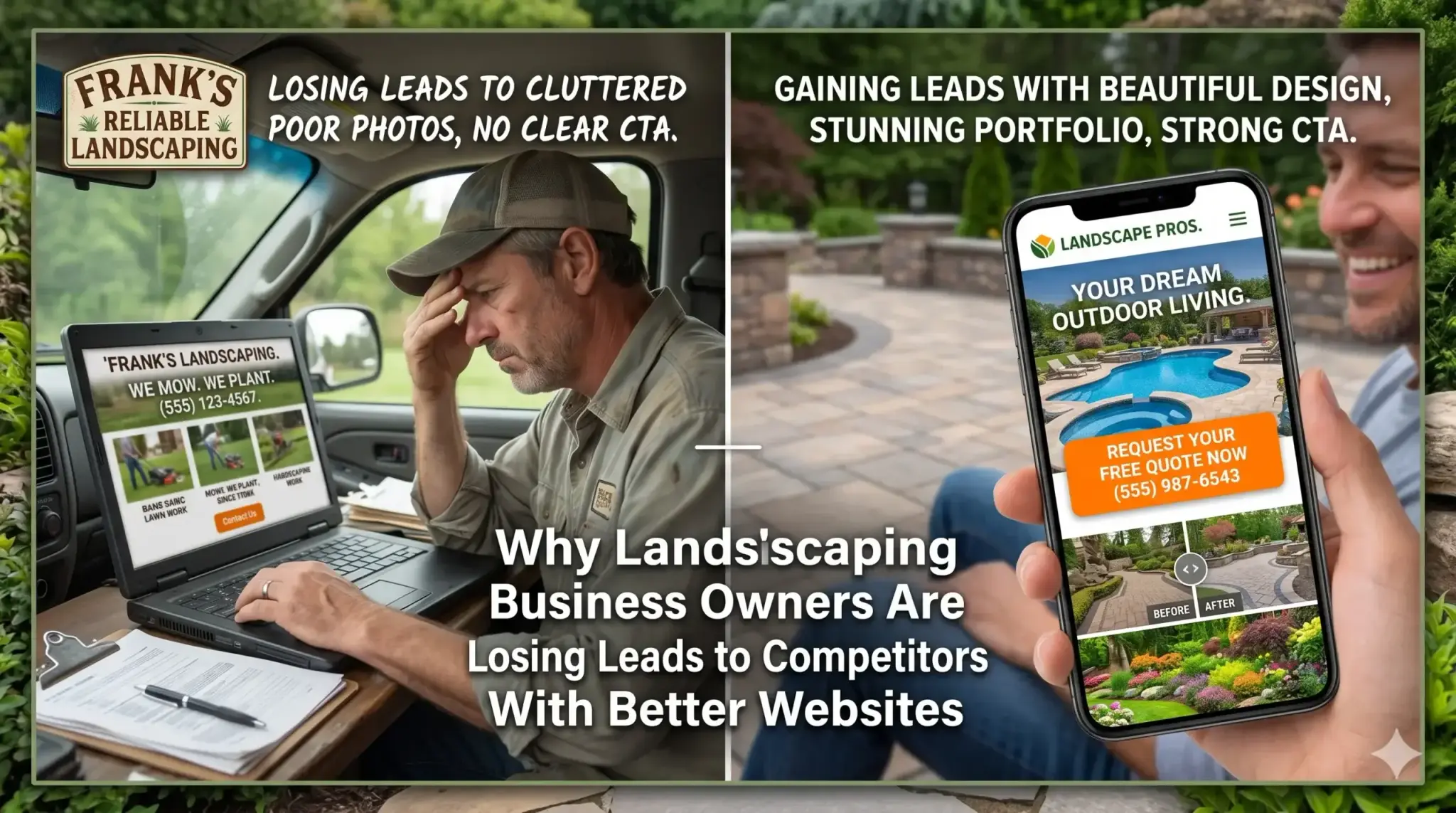
The Before/After: What a Better Website Actually Changes
Meet Marcus, the owner of a residential landscaping company operating across three suburbs outside of Atlanta, Georgia. He’d been in business for 11 years, had a strong reputation, and a website he’d paid $2,500 for six years ago.
The website looked decent. It had photos, a services page, and a contact form. But Marcus was getting maybe 2–3 website leads per month — and he suspected he was missing more than that.
The problems:
- The site loaded in 6.8 seconds on mobile
- There was no dedicated page for his most profitable service: commercial property maintenance
- His service area (three specific suburbs) wasn’t mentioned anywhere on the site
- His 63 Google reviews weren’t visible anywhere on the website
- There was no click-to-call button — visitors had to manually copy his phone number
What changed: After a full rebuild focused on performance and conversion, Marcus’s site loaded in under 2 seconds. He had dedicated service pages for each of his six core offerings, with content that named his three service cities. His Google reviews were displayed on the homepage. A click-to-call button appeared at the top of every page.
The result: Within 90 days, his website was generating 11–14 leads per month — more than four times what it was before. Two of those leads converted into commercial maintenance contracts worth over $40,000 annually combined.
The work didn’t change. The website did.
Not sure if your landscaping website has these issues? Get a free website audit — no obligation, just a clear picture of what’s costing you leads.
Your Path to More Leads
If you’re looking at your website differently after reading this, here’s a simple framework for what to do next:
1. Test your site on your phone — right now. Open your website on your phone using mobile data, not WiFi. Count how long it takes to load. If it takes more than 3 seconds, you’re losing leads every day.
2. Check if your phone number is clickable. On a phone, your number should be a tap-to-call link — not text someone has to copy and paste. If it’s not, that’s a fix you need today.
3. Look at your homepage with fresh eyes. Pretend you’re a homeowner who’s never heard of your company. Can you tell within 5 seconds what you do, where you work, and how to contact you? If not, your homepage needs work.
4. Make sure each of your main services has its own page. Lawn care, hardscaping, irrigation, seasonal cleanups — each deserves its own page with a clear description of what you offer, the area you serve, and a call to action.
5. Get your reviews front and center. If you have strong Google reviews, they should be visible on your homepage. If you don’t have many reviews yet, start asking happy clients — that’s one of the highest-impact things you can do for free.
Frequently Asked Questions
Why am I not getting calls from my website?
There are usually a few culprits: your site loads too slowly for mobile users, your phone number isn’t easy to find or click, or your site doesn’t rank in local search because it doesn’t clearly tell Google what you do and where. Most landscaping websites have at least two of these problems — often without the owner realizing it.
How do I know if my landscaping website is actually working?
A working website generates consistent, trackable leads — not just visitors. If you don’t know how many people visit your site each month, where they come from, or how many contact you, you’re flying blind. Basic analytics (free with Google Analytics) will show you this. A site that gets traffic but no calls usually has a conversion problem, not a traffic problem.
How long does it take to see results from a new website?
Most landscaping businesses see meaningful changes within 60–90 days of launching a properly optimized website. Some improvements — like a faster load time and a better mobile experience — show results almost immediately in the form of lower bounce rates. SEO improvements build over time, but a well-structured site typically sees ranking movement within the first few months. Book a free review to get a realistic picture of what to expect for your specific situation.
What makes a landscaping website different from a regular business website?
Landscaping is a hyper-local, visually driven service — and your website needs to reflect that. It needs to rank for local searches in specific neighborhoods, showcase real project photography that builds trust quickly, and make it dead simple to get a quote on a mobile phone. A generic business website template won’t do any of those things well. The structure, content, and performance requirements are specific to how homeowners actually search for and evaluate landscaping companies.
Do I really need a fast website if my customers are local?
Yes — especially because your customers are local. Nearly every landscaping search happens on a mobile phone, often outdoors with variable signal strength. A slow site is a leaky bucket: you’re spending time and money getting people to your site, and then losing them before they see a single photo of your work. Speed is one of the highest-leverage improvements you can make to a landscaping website.
My website looks good. Why isn’t it working?
“Looks good” and “converts visitors into calls” are two different standards. A site can look professional and still fail to rank in local search, load too slowly on mobile, or bury the contact information where visitors can’t find it. The best landscaping websites are designed around one goal: turning a curious visitor into a phone call. Aesthetics matter, but they’re in service of that goal — not a substitute for it.
Ready to Find Out What Your Website Is Actually Costing You?
Most landscaping business owners don’t know how many leads their website is losing every week. It’s not visible — there’s no alert when someone leaves your site without calling. But the revenue it represents is very real.
Digital Trace audits landscaping websites specifically — not generic audits, but a detailed look at how your site performs on mobile, how it ranks in local search, and exactly where visitors are dropping off before they contact you.
There’s no pitch. No obligation. Just a clear, honest picture of what’s working, what isn’t, and what it would take to fix it.